
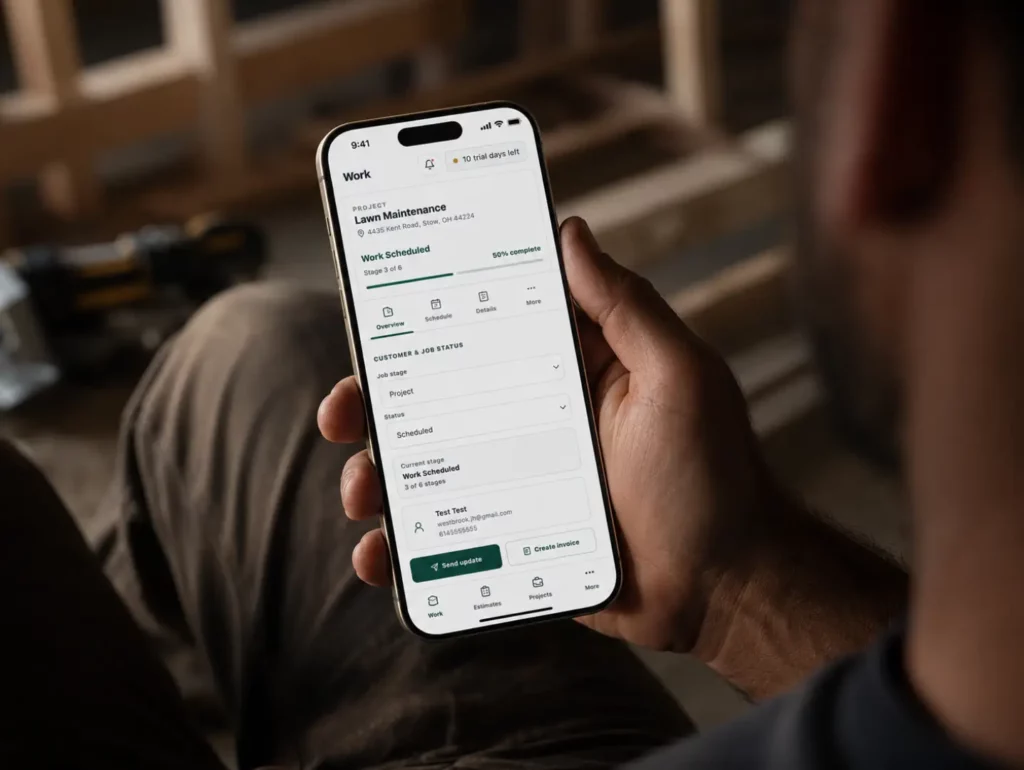
In the world of contracting, the efficiency of your operations often hinges on the tools you use. Many contractors find themselves asking, “How many software tools does a contractor really need?” The answer is not straightforward, as it depends on the size of your business, the complexity of your projects, and your specific operational needs. However, understanding the essential categories of tools can help streamline operations and reduce costs. This article will explore the necessary software tools for contractors, emphasizing practical applications and workflows to enhance productivity.
Understanding Essential Software Categories
Before diving into the specifics, it’s important to categorize the types of software that can benefit your contracting business. Generally, these categories include:
- Estimating and Proposals: Tools for creating accurate bids and proposals.
- Project Management: Software that helps manage tasks, timelines, and resources.
- Field Operations: Tools for scheduling, tracking work, and managing on-site activities.
- Financial Management: Software for job costing, invoicing, and expense tracking.
- Collaboration and Communication: Tools that enhance communication among team members and clients.
How Many Tools Do You Need?
While the ideal number of tools can vary, a well-rounded contractor might find that five to seven software tools cover most of their needs efficiently. Here’s a breakdown of what each tool should ideally accomplish:
1. Estimating and Proposals Tool
Accurate estimates are the cornerstone of any successful contracting business. A dedicated estimating tool helps you quickly generate proposals based on historical data, material costs, and labor rates. This can save time and improve accuracy, ensuring you don’t leave money on the table. For instance, if you’re bidding on a roofing job, having a software tool that pulls in previous job costs can help you create a competitive and profitable estimate.
2. Project Management Software
Project management software should provide a centralized place for tracking project progress, scheduling tasks, and managing resources. This tool is essential for keeping projects on track and ensuring deadlines are met. For example, if you’re managing multiple renovation projects, a project management tool can help you see which tasks are behind schedule and adjust resources accordingly.
3. Field Operations Management
Field operations software is crucial for scheduling crews, tracking job site progress, and facilitating communication between the office and the field. For instance, if a crew encounters unexpected issues on-site, they can quickly update the project manager through the software, enabling prompt decision-making. This reduces delays and keeps projects moving forward.
4. Financial Management Tool
Job costing, invoicing, and expense tracking are vital for maintaining profitability. A financial management tool allows you to keep a close eye on your budget and expenses, ensuring that you’re on track to meet your financial goals. For example, if you notice that material costs are rising unexpectedly, you can adjust future bids to account for these changes.
5. Collaboration and Communication Tools
Effective communication is key to any successful project. Tools that facilitate collaboration among team members and clients can help ensure everyone is on the same page. Whether it’s sharing documents, photos, or updates, having a system in place reduces misunderstandings and keeps projects running smoothly.
Realistic Workflow Example
Let’s consider a hypothetical workflow for a general contractor managing a commercial renovation project.
- Estimating: The contractor uses estimating software to prepare a proposal based on previous projects, material costs, and labor rates. This proposal is sent to the client for approval.
- Project Setup: Once approved, the project manager enters the project into their project management tool, outlining tasks, timelines, and assigning crew members.
- Field Operations: As work begins, field teams use mobile applications to report progress and any issues. This data syncs back to the project management software.
- Financial Tracking: Throughout the project, the contractor uses financial software to track expenses, ensuring they remain within budget. If costs exceed estimates, they can adjust future bids accordingly.
- Communication: Regular updates are communicated through collaboration tools, keeping everyone informed and engaged.
This workflow illustrates how interconnected software can enhance efficiency and streamline operations. By utilizing tools that work together, contractors can significantly reduce administrative burdens and focus on delivering quality work.
Common Mistakes to Avoid
When selecting software tools, contractors should be aware of common pitfalls:
- Overcomplicating Tools: Using too many specialized tools can lead to confusion and inefficiency. Aim for a few robust tools that cover multiple needs.
- Ignoring Integration: Ensure that the tools you choose can integrate with one another. This can save time and minimize errors.
- Neglecting Training: No matter how powerful your tools are, if your team isn’t trained to use them, they won’t be effective. Invest in training to maximize your software’s potential.
Frequently Asked Questions
What is the most important software for a contractor?
While it varies by business, project management and financial management software are often considered the most critical as they directly impact profitability and project success.
How do I know if I need more software tools?
If you find that you’re spending too much time on administrative tasks, struggling with communication, or facing budget overruns, it may be time to evaluate your current software tools.
Can I use free tools effectively?
Free tools can be useful for small projects or businesses, but they often lack the features and support of paid software. Assess your needs carefully before relying on free options.
Is it better to have all tools in one platform?
Having all tools in one platform can streamline workflows and improve data accuracy, reducing the time spent on administration and increasing overall efficiency.
How Connected Contractor Management Software Can Help
Using connected contractor management software, such as Taskavo, can simplify the selection of tools by integrating various essential functions into a single platform. This means you can manage estimating, project controls, field operations, financials, and communication all in one place. By reducing the number of tools and ensuring they work together seamlessly, you can enhance efficiency, reduce errors, and improve project outcomes.
To learn more about how Taskavo can support your contracting business, start a free trial or explore the platform today.
Related Taskavo Resources
Run the Work With Taskavo
Taskavo helps contractors connect estimating, projects, field operations, teams, customers, job costing, change orders, invoicing, and day-to-day job visibility in one platform.
If this topic is part of a larger workflow problem in your business, Taskavo is built to keep the work connected from the first estimate through project completion.

 Sales · demos · product help · support